After you create an API key, you can call chat, image, video, and audio models through the platform API or the Playground.

Create an API key

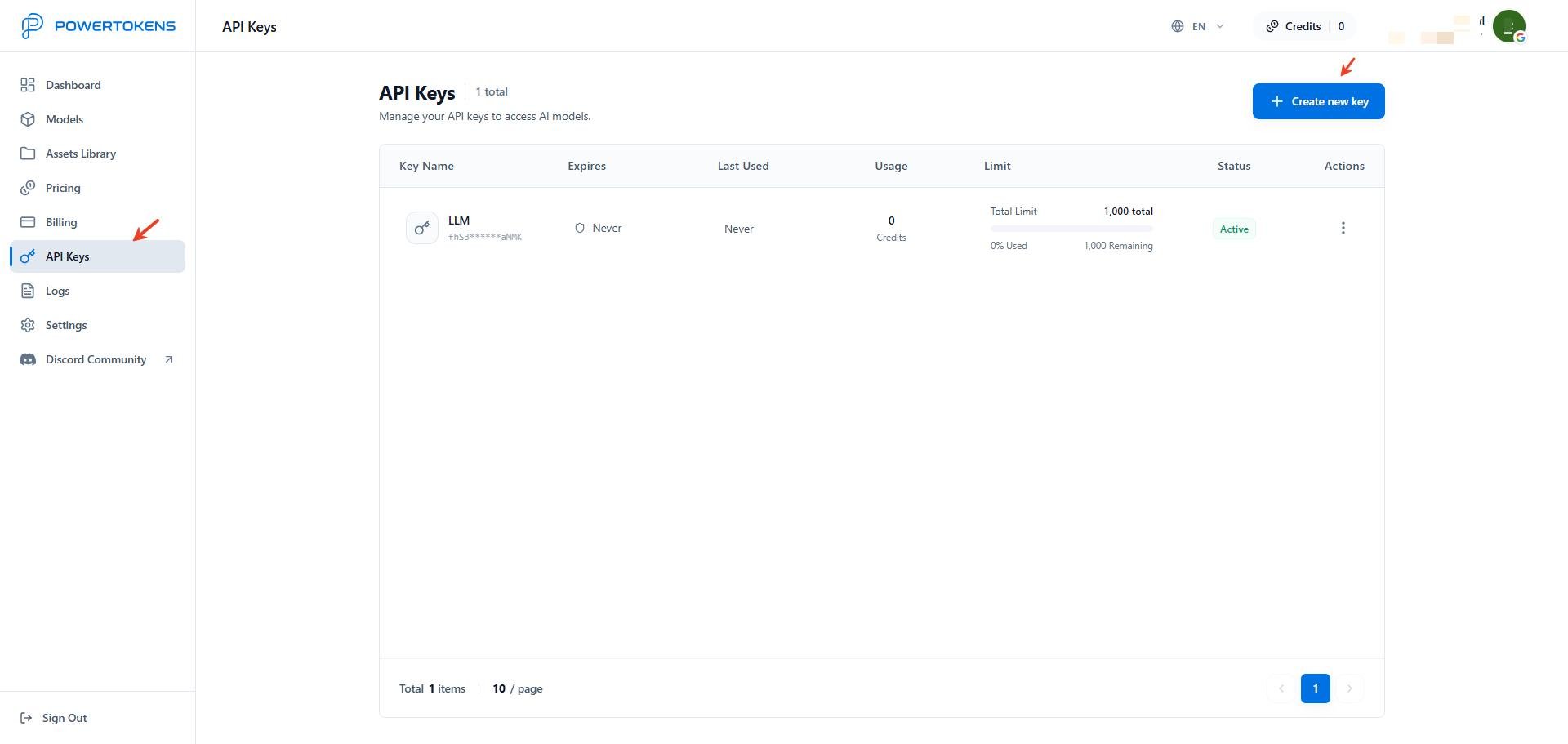
Open API Keys. PowerTokens API Keys page Click Create new key in the upper-right corner. Create a PowerTokens API key When you create a key, you can configure:
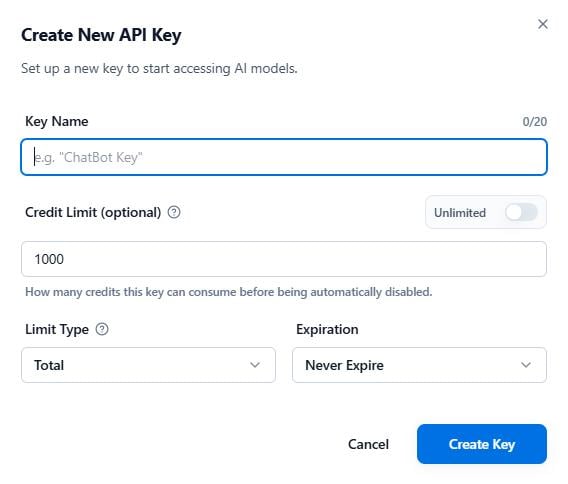
  • Key name: Use a clear name, such as LLM-key, so you can manage keys by project.
  • Usage limit: Set unlimited usage or a fixed Credits limit. When the key reaches the limit, it stops working.
  • Reset type: Choose no reset, daily, weekly, or monthly reset. Weekly and monthly resets use UTC time.
  • Expiration: Choose no expiration, 7 days, or 30 days.
An API key is shown only once when you create it. Store it securely, and do not expose it in client-side code, public repositories, or chat logs.

Browse the model catalog

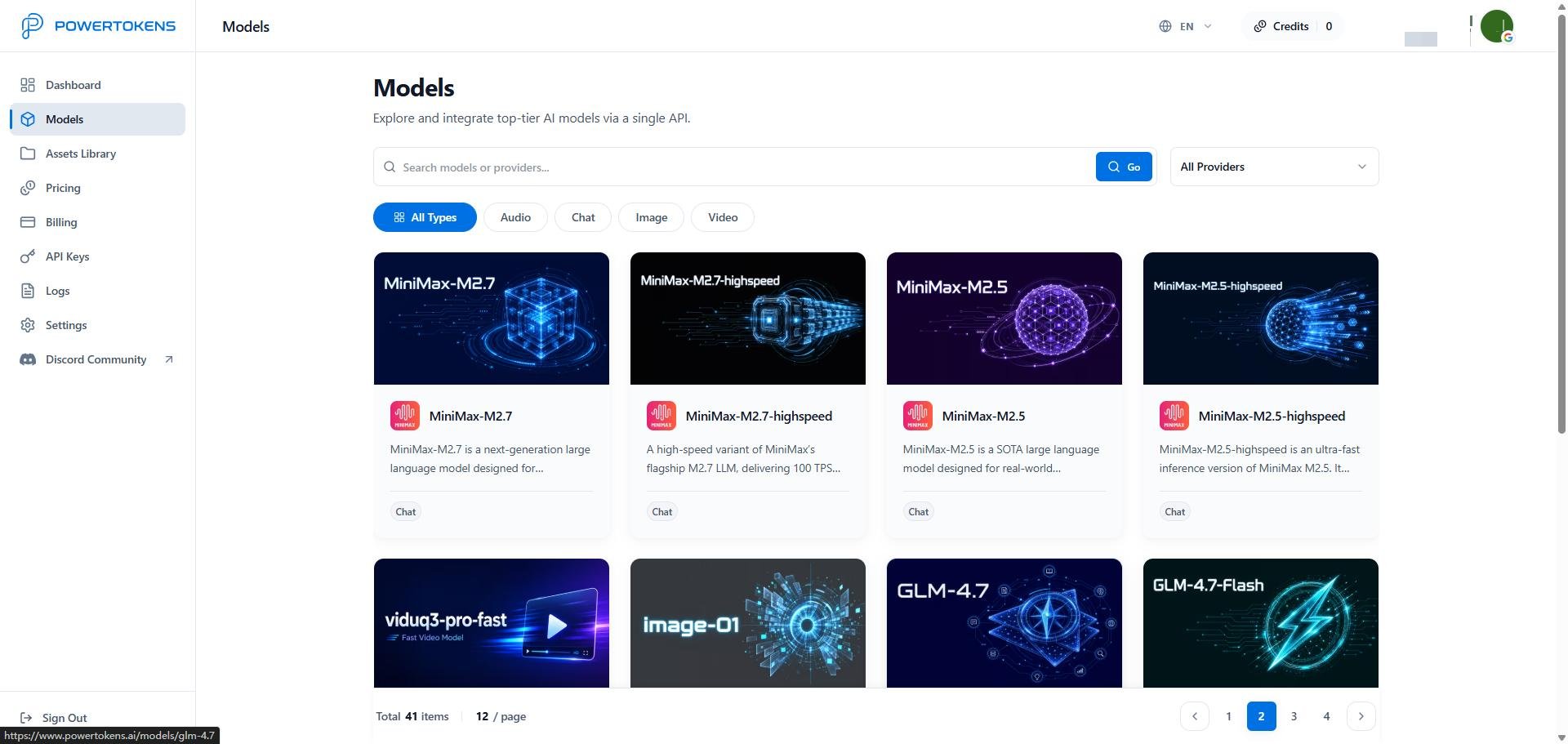
Open Models and choose the LLM, image, video, or audio model you need. PowerTokens model catalog The model detail page shows capabilities, pricing, and available request methods. Models such as MiniMax are exposed as upstream provider capabilities through PowerTokens. You call them through the unified platform API.
Call a model with the API

PowerTokens provides OpenAI-compatible APIs. For most OpenAI SDKs, update the Base URL and use the API key you created. Base URL:
https://api.powertokens.ai
Headers:
Authorization: Bearer <token>
Content-Type: application/json
Example request:
curl --request POST \
  --url https://api.powertokens.ai/v1/chat/completions \
  --header 'Authorization: Bearer <token>' \
  --header 'Content-Type: application/json' \
  --data '{
    "model": "MiniMax-M3",
    "messages": [
      {
        "role": "system",
        "content": "You are a concise assistant."
      },
      {
        "role": "user",
        "content": "Describe Paris in one sentence."
      }
    ],
    "temperature": 0.3
  }'
Before production integration, check the target model page for supported parameters, request fields, and response format.

Debug models in the Playground

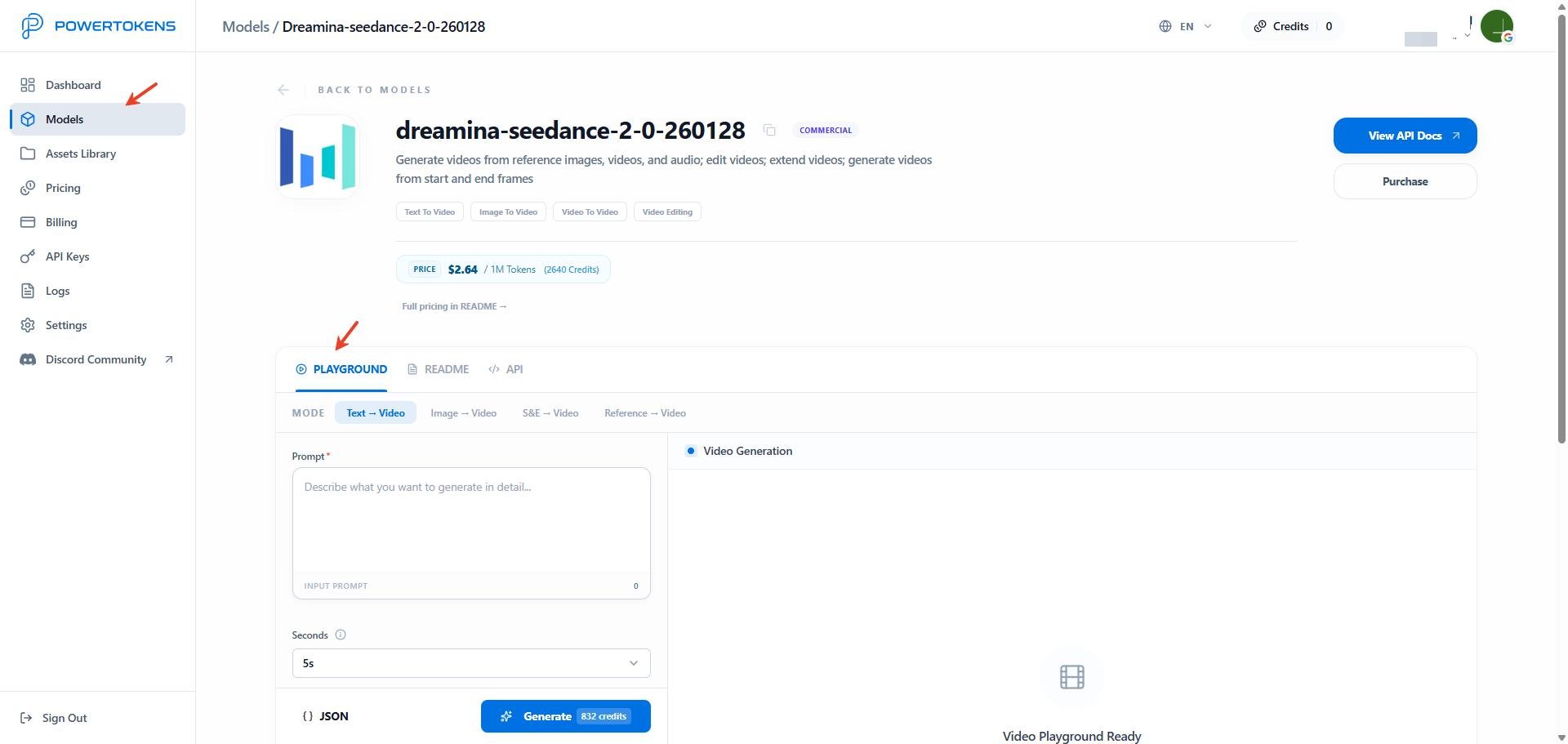
Open Models, then open a model detail page. You can test model behavior in the Playground without writing code first. PowerTokens Playground Use the Playground to:
  • Debug prompts
  • Compare model outputs
  • Test parameters
  • Validate prototypes
After your first request, continue with View logs and usage stats.